Wrightward Digital Give Monthly
Preflight

Wrightward Digital · Dayton, Ohio

Nobody flies on the first try.

Learning a little at a time, close to home. Free, patient help with the computer you already own — and a place for neighbours who would rather teach than lecture.

First hop: one question, one visit.

Date Ongoing, all year
Aircraft Whatever you already own
Instructor A patient volunteer
Cost Free
600 ft
Entry 01 Free senior tech clinics

You do not have to know anything to start. That is what the first lesson is for.

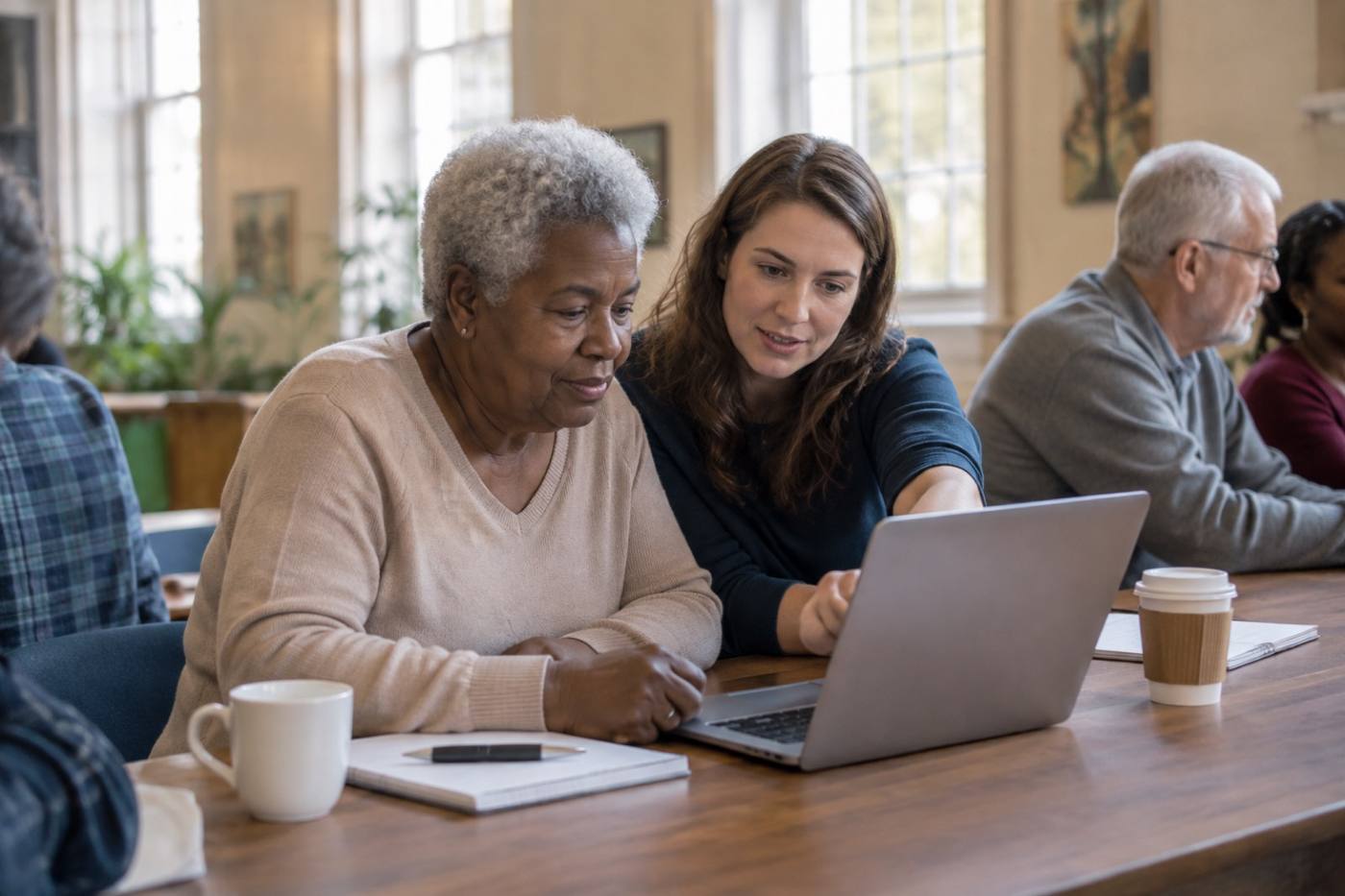
Bring the phone, tablet or laptop you already use. Someone sits down beside you, at your speed, and you work on the thing that has been bothering you — not on a lesson plan written for somebody else.

  1. 01

    Bring your own device

    The phone in your pocket, the laptop on the kitchen table, the one you are a little embarrassed about. All of them are welcome here.

  2. 02

    Ask your real question

    Passwords you can actually remember. Photos. Video calls. Why the printer only works on some days. Start wherever you are stuck.

  3. 03

    Come back

    Nobody gets it in one visit. That is expected here, not a problem — the second session is usually where things click.

An older adult leaning toward a laptop while a volunteer points at the screen in a warm community room
Clinic afternoon: one table, one question at a time.
1,200 ft
Entry 02 Refurbished laptop program
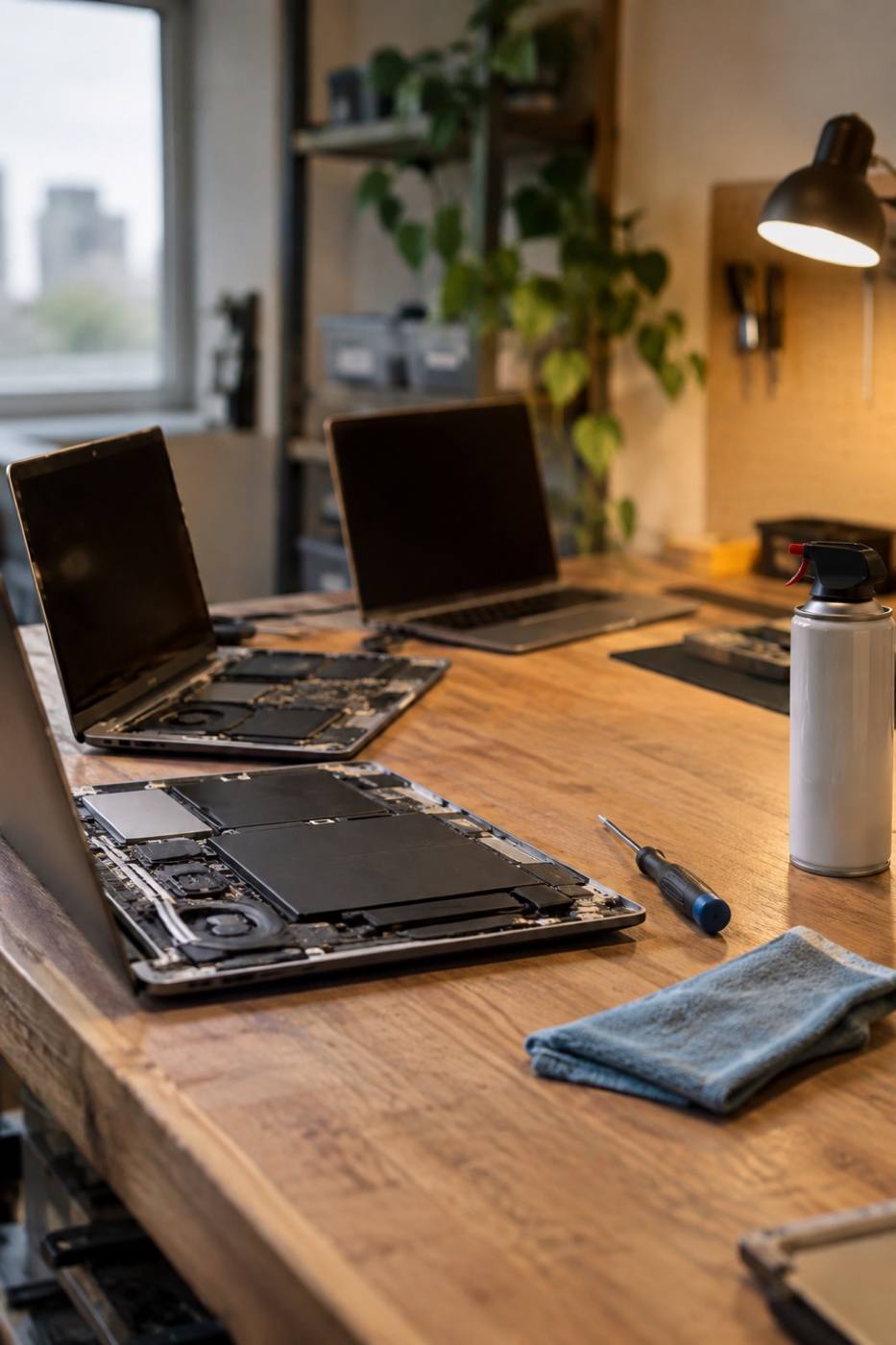
A workbench with open laptops being cleaned and checked, tools and a cloth beside them
The bench, mid-check. Every machine gets the same three passes.

A laptop that has already been somebody's, and is ready to be yours.

Neighbours bring us the machines they have finished with. We clean them up, check them over, and pass them along to someone who could use one. Then we sit down and set it up together, so the first afternoon is not a fight with a password screen.

  1. 01

    Wiped and reset

    Everything personal comes off. It leaves the bench clean, because it should feel like a machine of your own.

  2. 02

    Checked by hand

    Battery, keyboard, hinge, ports — the small things that decide whether a laptop is pleasant to use or quietly maddening.

  3. 03

    First walkthrough

    We set it up with you and stay until the wifi and the password both make sense, and until you have made it do one thing by yourself.

Have a laptop in a drawer? It can fly again
2,400 ft
Entry 03 Workforce digital skills

Skills for the job you are already doing.

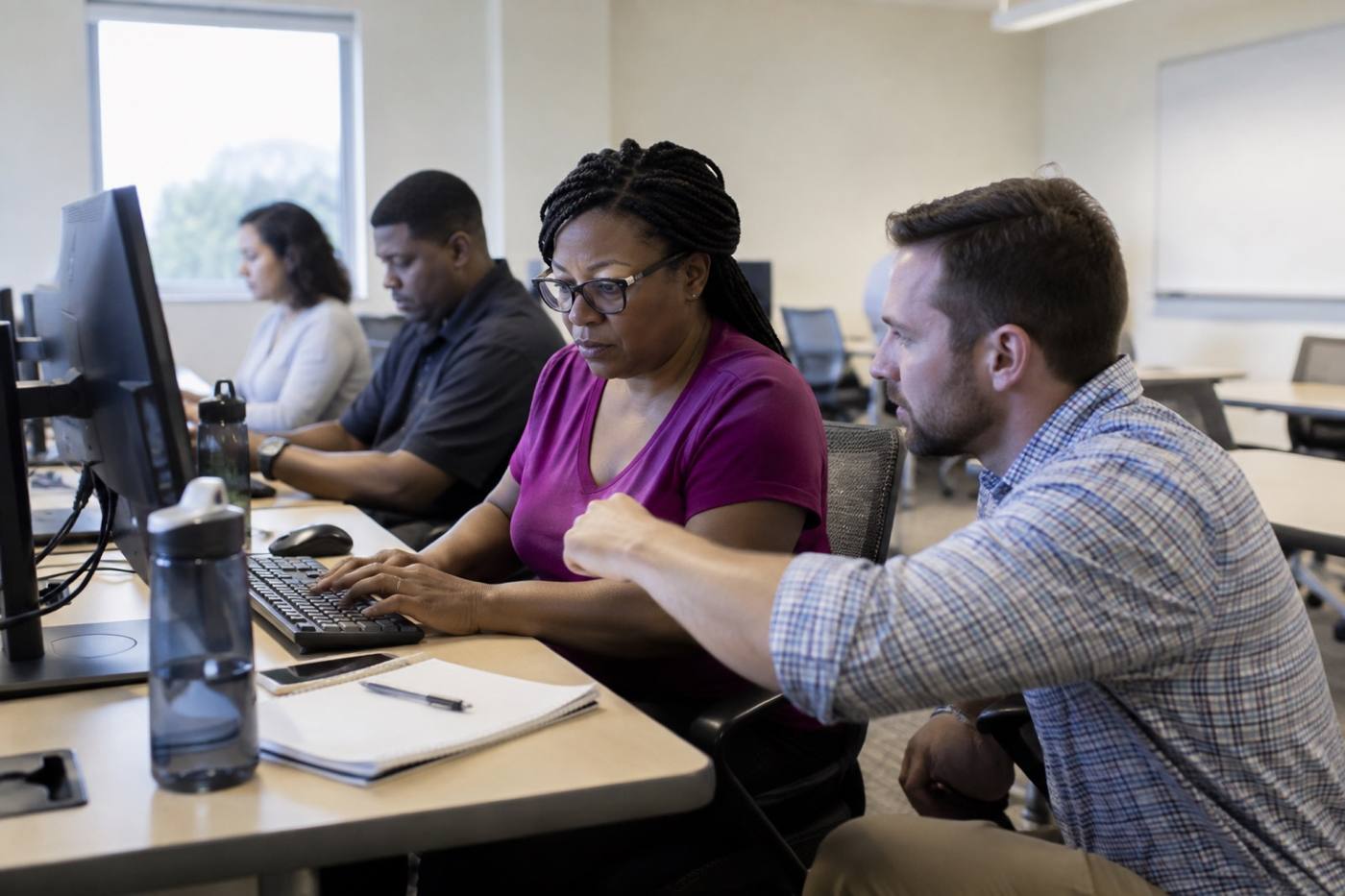
Short, practical classes for adults going back to work, changing shifts, or being handed a screen nobody ever trained them on. Taught slowly, in plain language, and free to attend.

  • Email that actually gets read
  • Spreadsheets that add up the way you expect
  • Shared documents and who can see what
  • Video meetings without the panic
  • Filling in an application online without losing it halfway
Adults at desktop computers in a community classroom while an instructor kneels beside a desk to help
Class in session: slow enough to follow, real enough to use.
Entry 04 Library partnerships

We bring the class to the room you already know.

Most of our sessions happen in library branches around Dayton — familiar rooms with parking, wifi and a restroom down the hall. Ask at the desk, or look for us on the library's own calendar of events.

Libraries are also where a lot of our mentoring starts. Somebody comes in to print a form, stays to ask a question, and comes back the next week with a folder of their own.

A library aisle seen toward a folding table holding open laptops in late afternoon light
Set up before the doors open: a table, a few laptops, a sign-in sheet.
3,600 ft
Entry 05 Volunteer mentoring

The best volunteers are the ones who remember being confused.

You do not need to be an expert. You need patience, a regular hour you can spare, and the willingness to sit beside someone instead of taking the mouse out of their hand.

  1. 01

    Sit beside, not in front

    Same side of the table, same screen, same pace. Nobody is being lectured at.

  2. 02

    Let them drive

    Your hands stay off the keyboard. Point, say it out loud, then let them do the click themselves.

  3. 03

    Leave room for quiet

    Silence while somebody works it out is not failure. It is the part that makes it stick.

  4. 04

    Come back next time

    The same face at the same table is most of what makes a clinic feel safe to walk into.

Two people of different generations side by side at a laptop, one waiting while the other types
Mentoring, up close: hands off the mouse.
Cruise
The last page Sign in

Two leaves, one logbook. Pick the one that fits.

Wrightward runs on small monthly gifts and steady volunteers. Both keep the clinics free, the laptops moving and the classes on the calendar.

Left leaf · Giving

Give monthly

Small gifts that repeat are what let us plan a year of clinics instead of hoping for a good month. Give what suits you, and you can stop whenever you need to.

Right leaf · Volunteering

Volunteer

Mentors sit with one person at a time. If you can use email and a photo app, you can teach this — we will show you how the clinics run.