

Hollowbrook Technology Group · Burlington, VT Book the 30 minutes

The 30-minute IT assessment

Burlington, Vermont · Offices of 20–200 seats

30:00

Minutes, start to finish

Here’s the meeting. You already know the agenda.

Thirty minutes, six blocks, and a straight answer about the office you run — no slides, no deck, and no follow-up sales meeting.

An office manager and an IT technician talking across a meeting room table
Fig. 01 — One room, one notebook, the machines you already own.

Before the clock starts

Three things worth having on the desk.

None of them are required. If you can’t find one, we work with what’s there and say so out loud.

  1. 01

    A month of tickets

    Your helpdesk inbox, or just a count of requests. Even a rough number tells us what repeats in your building.

  2. 02

    The name of whoever set the network up

    An old invoice, a password sheet, a business card. A sticky note with a first name is fine.

  3. 03

    Last year’s IT spend

    Hardware, licenses, and the invoice from the person who fixes things on weekends.

A desk with an open notebook, invoices, a pen and a mug in daylight
Fig. 02 — If it’s in a drawer, bring the drawer.

The agenda

Thirty minutes, block by block.

Six blocks, no slides. Each one lists what we ask, what you show us, and what you leave with. The number in the margin is the time left on the clock.

30:00 Left on the clock
Minutes 0–4

Where the week actually goes.

No deck. We start with what breaks.

We ask
Which day of the week do you dread? What happened the last time something went down?
You show us
Nothing yet. This part is just talking.
You leave with
A short list of the three things that cost your office the most time.
26:00 Left on the clock
Minutes 4–9

Your ticket history, opened.

Minute seven: we open the ticket log. This is where patterns show up.

We ask
How do requests come in — email, phone, or someone walking to your desk?
You show us
Your helpdesk inbox, or a month of tickets if you keep them.
You leave with
A count of what repeats, and which of it is worth fixing for good.
21:00 Left on the clock
Minutes 9–14

The network, as it stands.

We look at what you run, not what a diagram says you run.

We ask
Who set it up, and who holds the passwords today?
You show us
The router room, the patch panel, the Wi-Fi points — whatever exists.
You leave with
A one-page picture of your network, and the weakest link in it.
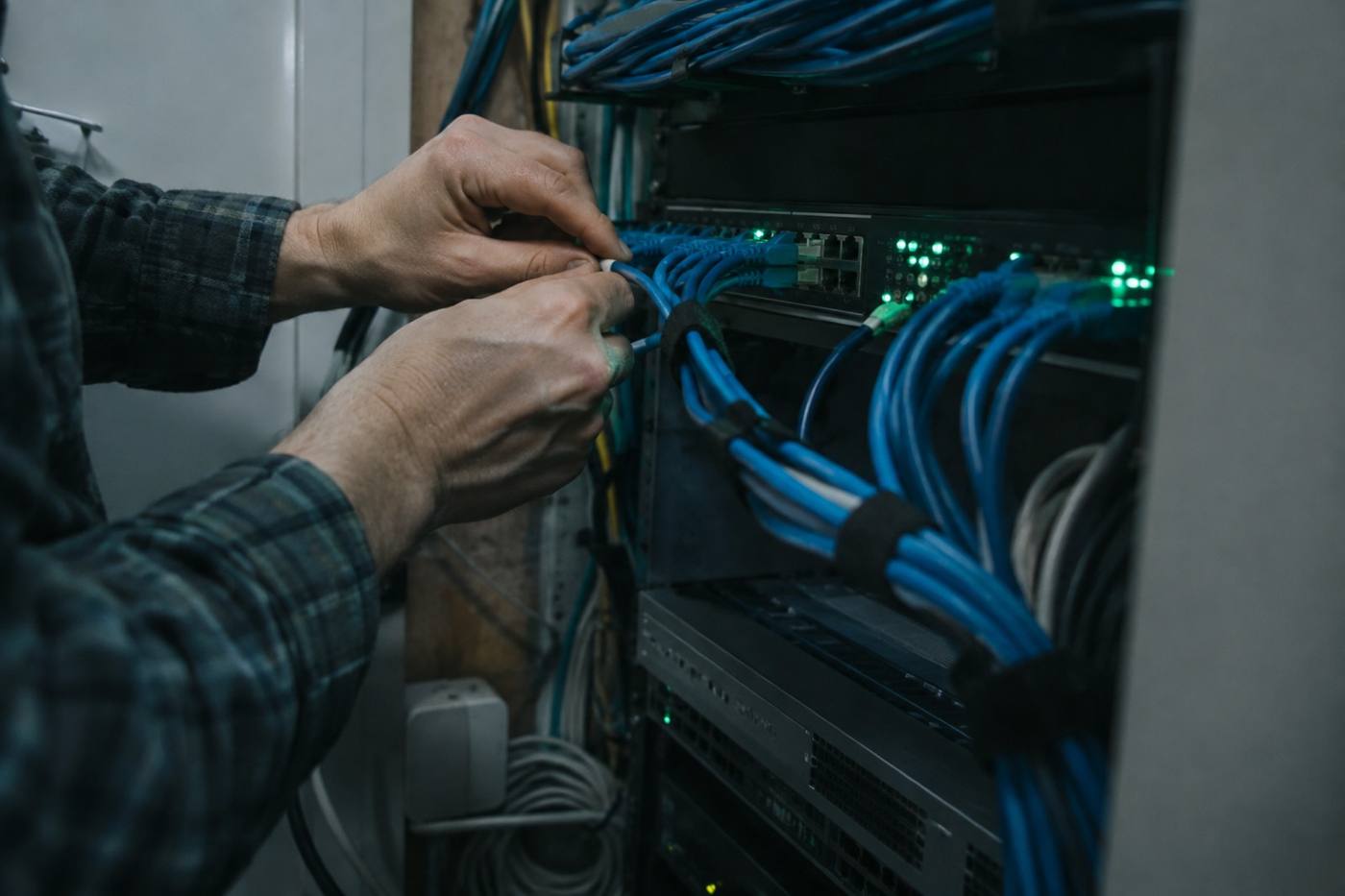
Hands working inside a small network closet with routed ethernet cables
Fig. 03 — Minutes 9–14. Yes, we will ask to see the closet.
16:00 Left on the clock
Minutes 14–19

Endpoints, and who can get in.

This is the block office managers usually find most useful.

We ask
How many machines, and who holds admin on them?
You show us
A laptop, a phone, and your offboarding checklist if you have one.
You leave with
A plain list of gaps — the ones that matter now, and the ones that can wait.
11:00 Left on the clock
Minutes 19–24

Cloud and phones.

What lives online, what still lives in a closet, and what rings your desk.

We ask
What sits in Microsoft 365 or Google, and where do backups land?
You show us
Your backup settings and your phone bill.
You leave with
A migration order of operations, and a straight answer on whether VoIP is worth it yet.
06:00 Left on the clock
Minutes 24–30

The number, and the next step.

We go through what IT costs you now, out loud, while you’re watching.

We ask
What does IT cost you now, all in?
You show us
Nothing. We work from what you’ve already told us.
You leave with
A written summary of what we found and what we’d change first. Take it or leave it.

After 30:00

What you get, and what we run.

You leave with a written summary of what we found and what we would change first. If you want us to act on it, this is the work.

A helpdesk analyst at a workstation seen from behind
Fig. 04 — One desk for the whole office.
01

Managed IT support

Day-to-day support for the office, with a queue you can actually see instead of requests forwarded around the building.

02

Network monitoring

We watch the switches, the access points and the internet handoff, so problems surface before the whole office is standing around.

03

Cloud migration

Mailboxes, file shares and the line-of-business apps that depend on them, moved in batches around your work week.

04

Endpoint security

Laptops, desktops and phones: patching, encryption, and admin access that stays in your building.

05

VoIP phone systems

Desk phones, softphones and the auto-attendant, keeping the numbers you already print on your letterhead.

06

Helpdesk, 20–200 seats

Built for offices the size of yours: the receptionist, the estimator, and the new hire on their first morning.

Nothing here is a contract until you sign one.

End of the agenda

Book the 30 minutes.

Tell us how many seats you run and what’s currently breaking. We’ll reply with a time that fits your week and a short list of what to have ready.

  • Thirty minutes, remote or at your office in Burlington.
  • Six blocks, no slides, no follow-up pitch.
  • A written summary of what we found, either way.

Thirty minutes, remote or at your office. Based in Burlington, Vermont.